
Reporting
Included in this guide:
The suite of reports can be accessed by from REPORTS in the main menu.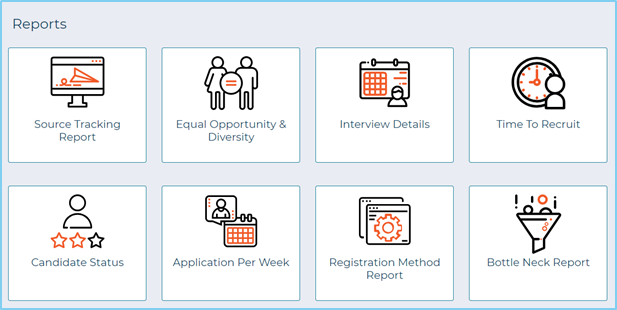
Prefer to watch a video introduction to reporting? Watch the intro below.
Report overview
Tables can't be imported directly. Please insert an image of your table which can be found here.
Report name
What it does
Source Tracking
Tracks candidates all the way from viewing a job through to being hired, based on source tags placed within online advertising.
Equal Opportunity & Diversity
Data based on the answers to the standard Equal Opportunity & Diversity question in the application form. Custom Field data is not included.
Interview Details
All booked interviews, including where, when and the candidate(s) contact details. This can be useful for assessment days or to let reception know who to expect for interview that week.
Time to Recruit
Displayed job by job, this reports on the time between a job being created and candidate status being changed to an offer status.
This also displays candidate(s) name and where they saw the advert initially.
Candidate Status
Displays a snapshot of the status candidates’ applications are at.
Application Criteria
Application Per Week
Reports on the number of applications per week.
Registration Method
Analyse the preferred registration methods amongst candidates (Gmail, LinkedIn, Facebook or email).
Bottle Neck Report
Reports the average number of days candidates spend in stages of your process.
Filter Criteria
Within each report you can choose your desired criteria from a selection like this:
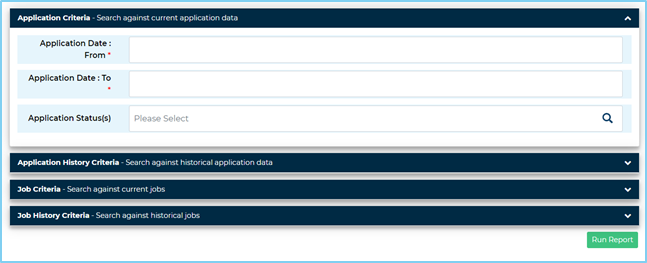
- Details added into the Application Criteria and Job Criteria sections searches the current data snapshot (i.e. candidates currently at that status)
- Application History Criteria and Job History Criteria will search the history of the job (i.e. will search for candidates who have ever been at that status, so this will include every status change for an individual candidate)
Each blue bar will expand when selected to reveal more options.
Report Production
Tables can't be imported directly. Please insert an image of your table which can be found here.
To view the report press Run Report.
To export the data to excel, press Export to Excel on the results page.


(181 KB)