
What is Two-Factor Authentication?
Two-Factor Authentication is a feature that generates a one-time password which is time-based and helps add more security to your Jobtrain account.
What are the benefits?
This feature increases the security of your Jobtrain account and means that you will need more than just your password to gain access to your account. This significantly decreases the chances of your account being compromised.
How do I use Two-Factor Authentication?
There are two separate ways to use this feature depending on if you are an existing user or a new user of Jobtrain.
If you wish to activate this, please submit a ticket into our Helpdesk.
Logging in as a new user
If you are a new user logging into Jobtrain for the first time, you will be asked to sign-in to your account.
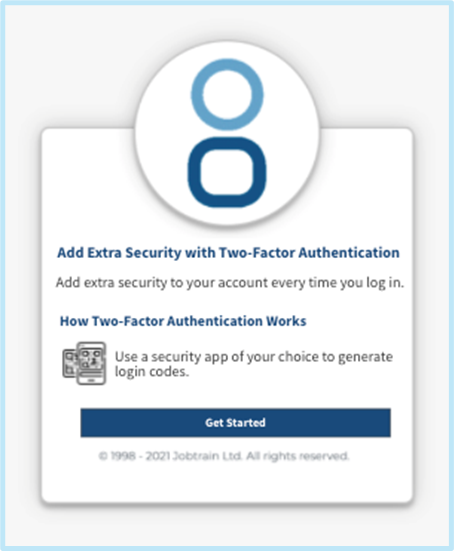
Once you have entered your login details, you will see this screen that asks you to get started with Two-Factor Authentication.
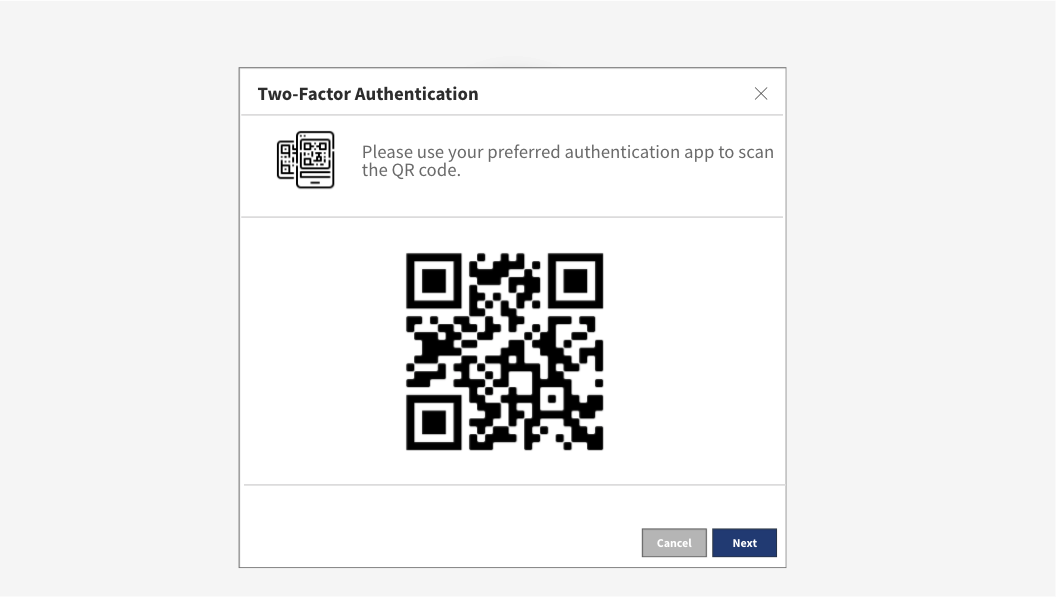
After pressing Get Started, a QR code will be displayed that you will be asked to scan using your preferred authentication app.
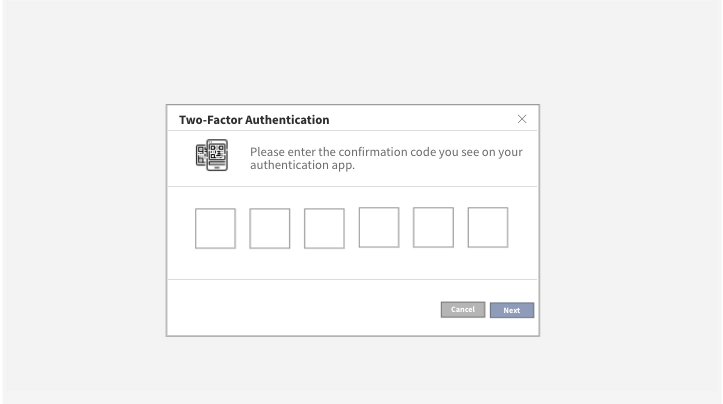
After scanning the QR code and pressing Next, the following screen will be displayed which asks you to enter the code on your selected authenticator app.
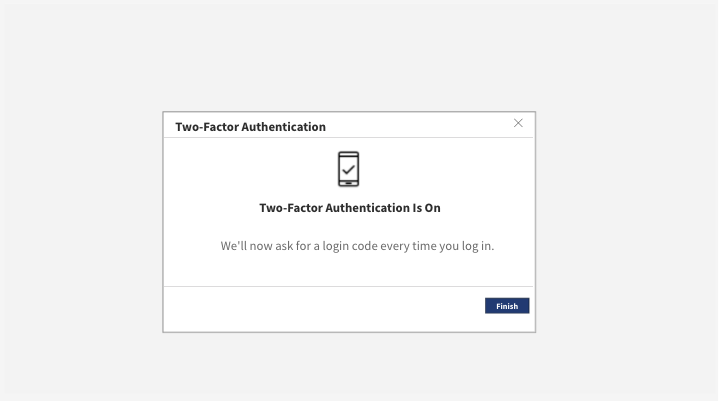
After entering the correct code, you will receive a pop-up message saying that Two-Factor Authentication is now enabled.
The final step in this process is to press Finish to set up Two-Factor Authentication successfully.
Logging in as an existing user
If you are logging in as an existing user and want to activate Two-Factor Authentication, you can do so manually on a per-system-user profile basis.
Once logged into Jobtrain, click on your initials in the top right-hand corner of the screen and press User Settings.
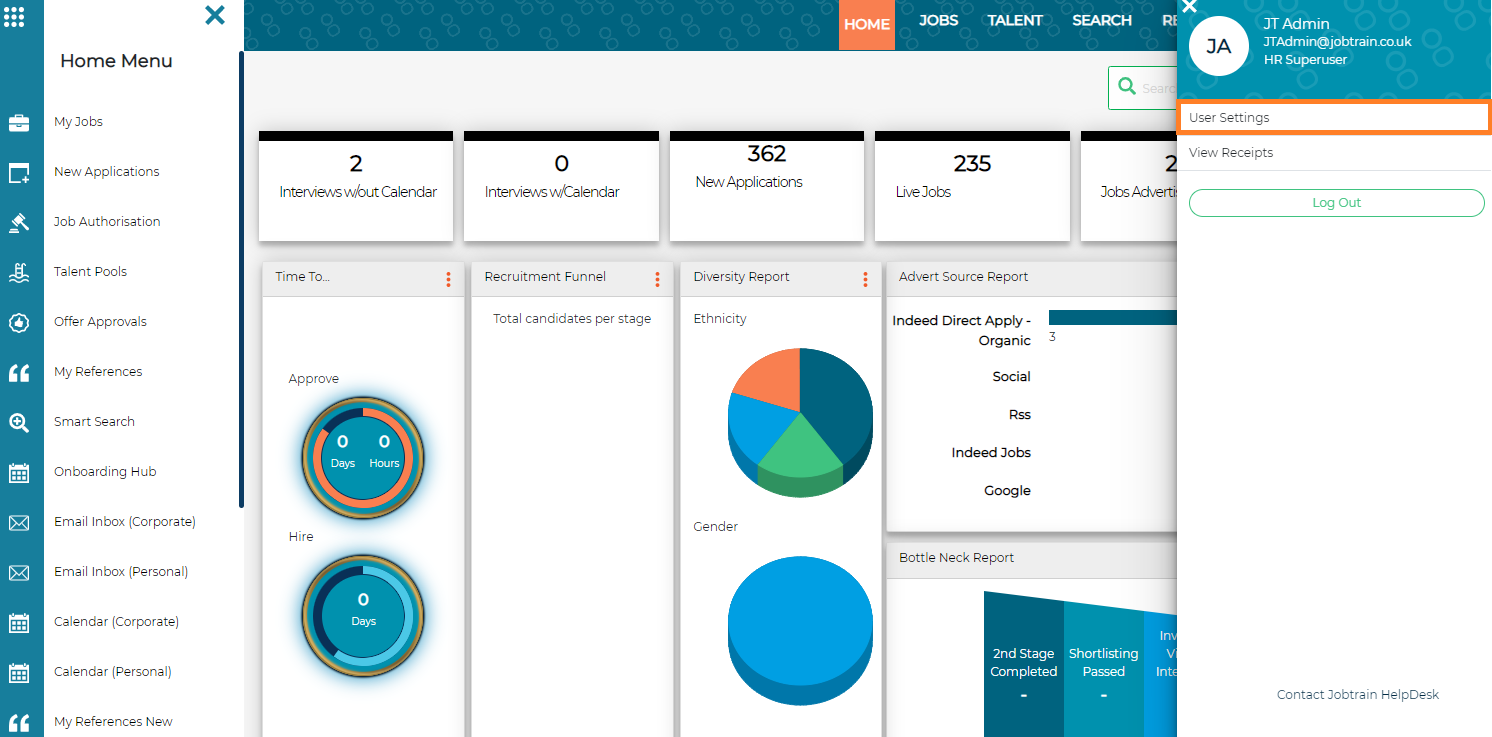
You’ll then see the following screen:
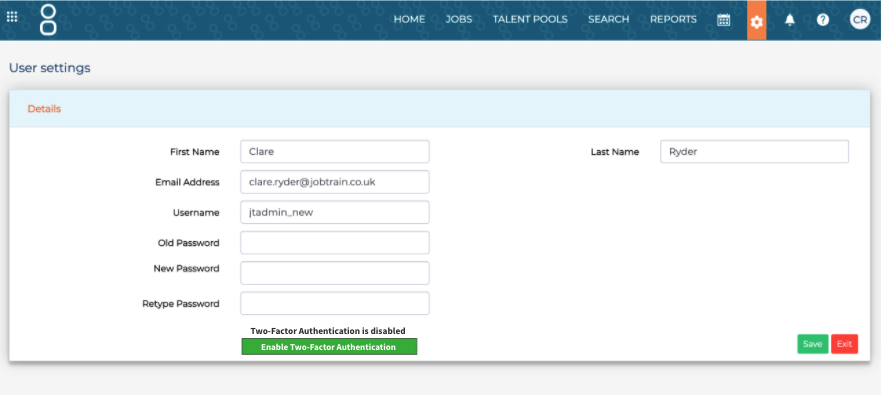
To start the set-up process for Two-Factor Authentication, click Enable Two-Factor Authentication.
X