Step 1 Raise a ticket
TO BE SENT TO EJAZ
Client Name:
Client URL:
Please activate the Scored & Timed Assessments for <Client Name>.
Step 2 Security Roles – enabling accessEnabling access to build Scored & Timed forms
Enable the feature in the relevant security roles:
- Settings
- Security Roles
- Open security role
- Settings subtab
- Toggle on Assessment Forms: Timed Assessment Form Setup
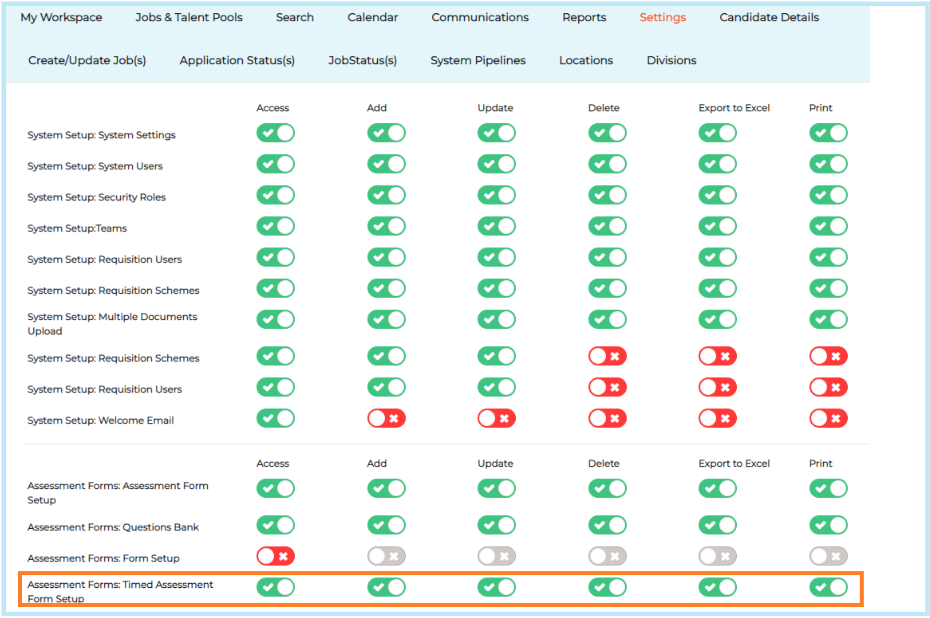
Enabling access to the reports
- Settings
- Security Roles
- Open security role
- Reports subtab
- Toggle on Timed Assessment Report

This will the enable both timed assessment reports in the standard reporting suite.