Overview
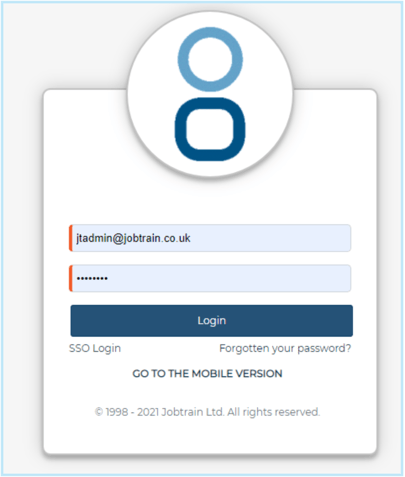
For any clients that use JT Mobile you can now add a 'GO TO THE MOBILE VERSION' link on the login page like this:
SetupStep 1 - add in mobile URL to client config
- Login to JTadmin
- Go to Client configuration
- Add
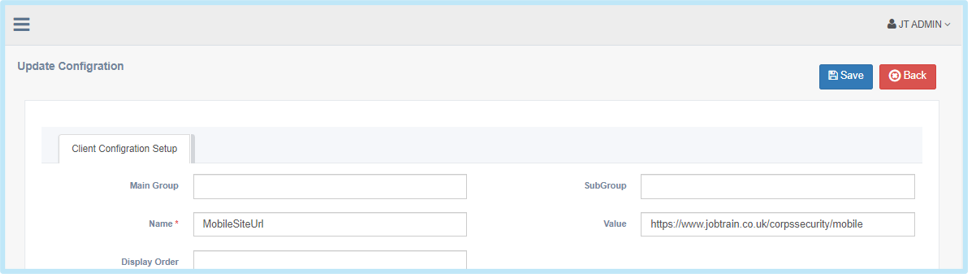
Name = MobileSiteUrl
Value = add in the URL of the mobile site here e.g https://www.jobtrain.co.uk/corpssecurity/mobile
- Press save
Step 2 - switch on the feature
- Still in JTadmin
- Go to Client configuration
- Add
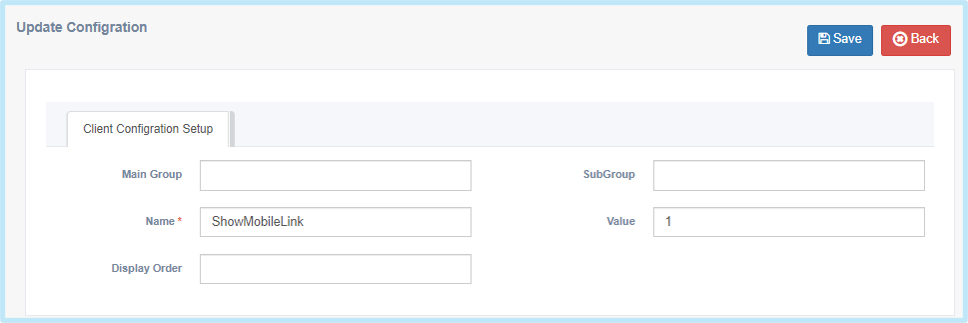
Name = ShowMobileLink
Value = 1
- Press save