
TABLE OF CONTENTS
In your Jobtrain platform you can control if users can access System Settings and which settings they can view and edit, such as System Users, Application Templates and Authorisation Templates.
We recommend only allowing a select group of users access to make key configuration changes to your Jobtrain platform such as Security Roles and System Customisation.
Enabling access to System Settings
To determine which settings each Security Role should have access to select Settings, then Settings > Security Roles.
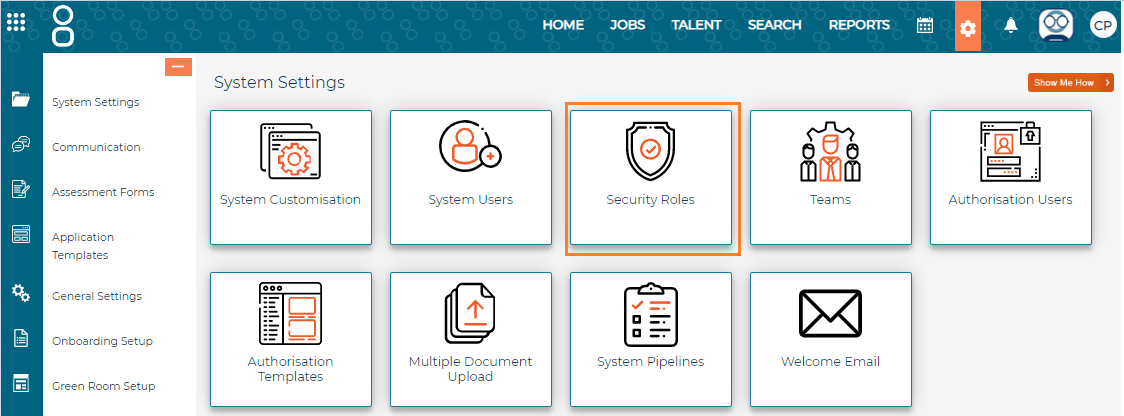
You’ll then see a list of all Security Roles:
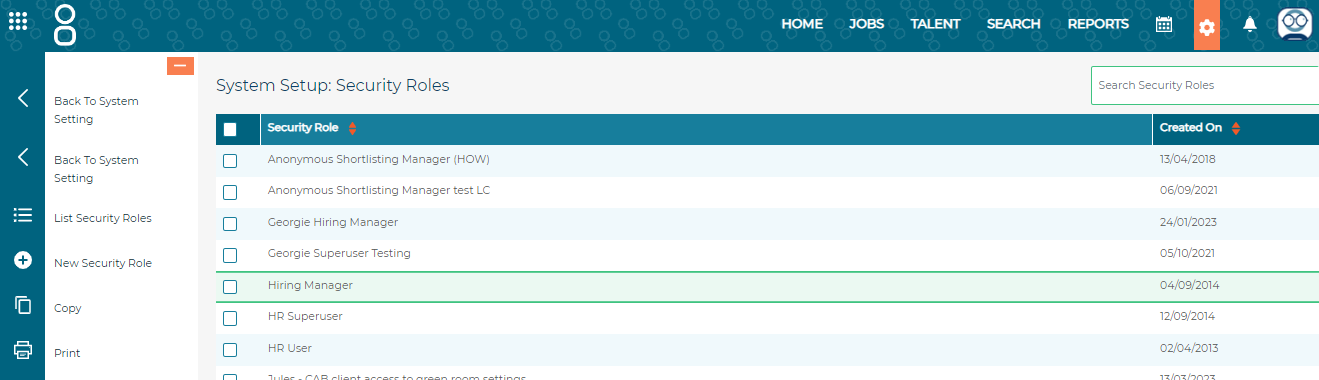
Click on the name of the Security Role you’d like to amend, then navigate to the Settings tab.

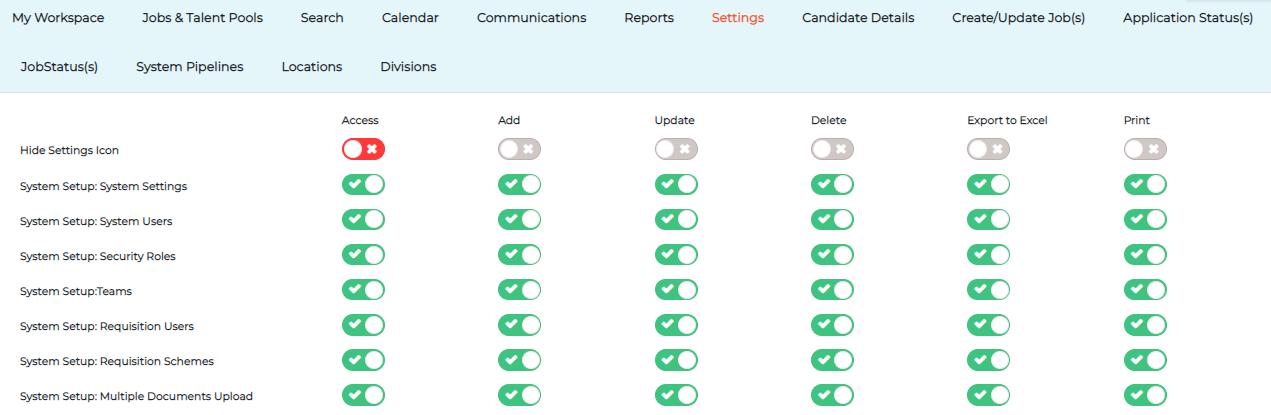
From here you can choose which System Settings users assigned to this Security Role can: Access, Add, Update, and Delete using the toggles in the relevant columns.
Restricting access to System Settings
If you prefer users to not have access to any Settings, simply toggle off all items in this section.
Please note for users to be able to upload supporting documents when adding a job (within Job Approval or on the Advert Copy page) then they must have access to General Setup: Document Library with Access & Add enabled. 
This will allow them to upload documents when adding a job and gives access to the Document Library in General Settings.
Add documents in a job but restrict access to the Document Library
I want some users to have access to add documents when they’re adding a job, but I want to restrict their access to the Document Library. Is this possible?
Yes, you can utilise the Hide Settings Icon feature to prevent users accessing the Document Library.
Hide Settings Icon

To hide the Settings icon displayed in the top menu, enable the Access toggle next to Hide Settings Icon:

Once this activated, it will remove the Settings icon preventing access to settings, but will still allow them to upload documents when adding a job.

Tip: When updating any area of security roles, the changes will take effect the next time a user logs in.