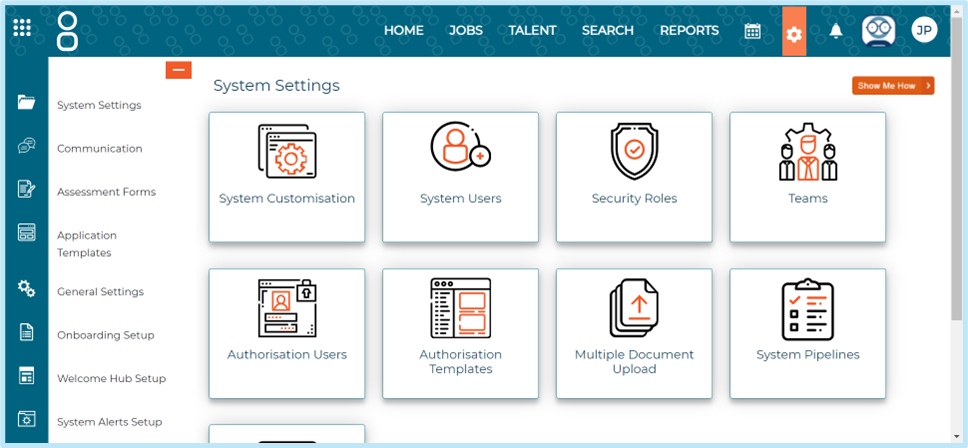
Go to Settings > System Pipelines, then Select New Pipeline:
Then select the statuses you would like to assign to the pipeline and press Save.
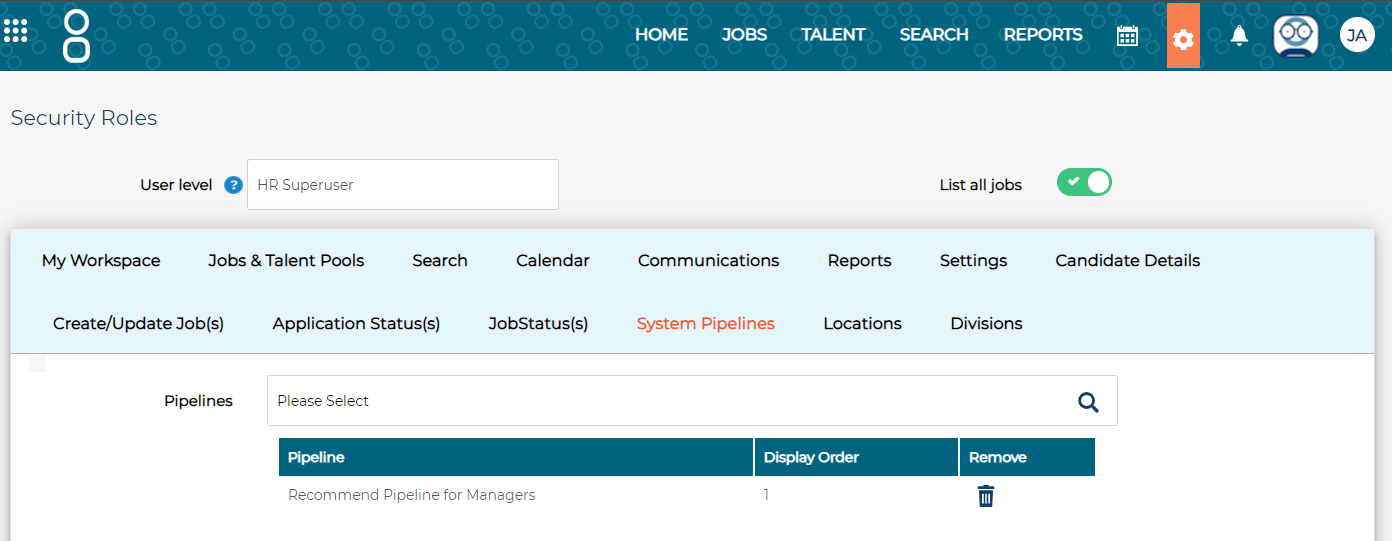
Once the information is saved, you will need to assign the pipeline to a Security Role.
To achieve this, go to Settings > Security Roles > choose a relevant Security Role > System Pipelines > choose the pipeline > then press Save.
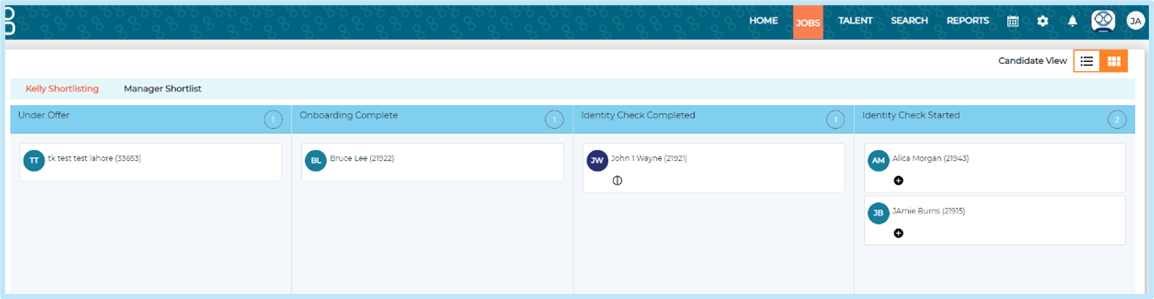
This means that when you select the System Pipelines candidate view in the list of candidates page, you can drag and drop candidates into the relevant statuses to update them.
View from list of candidates
Once you have set up the pipelines and assigned them to a Security Role, to view this go to a job > then select the black box icon next to the candidate view:

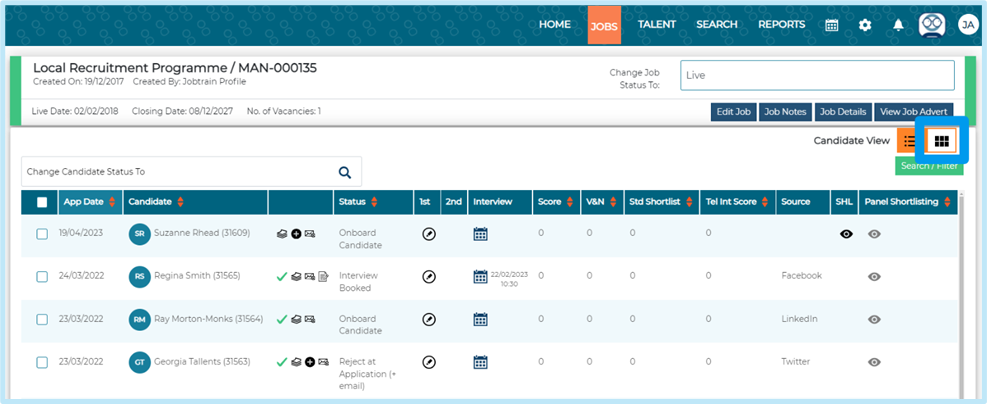
You’ll then see the System Pipelines and candidates that you can drag and drop: