Gaining Access
To submit candidates via Jobtrain, a Jobtrain account needs to be created for you by your client. You should have already received details of your Username and Password - if not, please contact your client to request these.
Jobtrain is an Applicant Tracking System which your client has chosen to deliver and support their recruitment activity. By accessing a dedicated website for all of your client's preferred suppliers, you will be able to search for current vacancies, submit candidates for consideration, and review the progress of your candidates throughout the recruitment process.
Vacancies
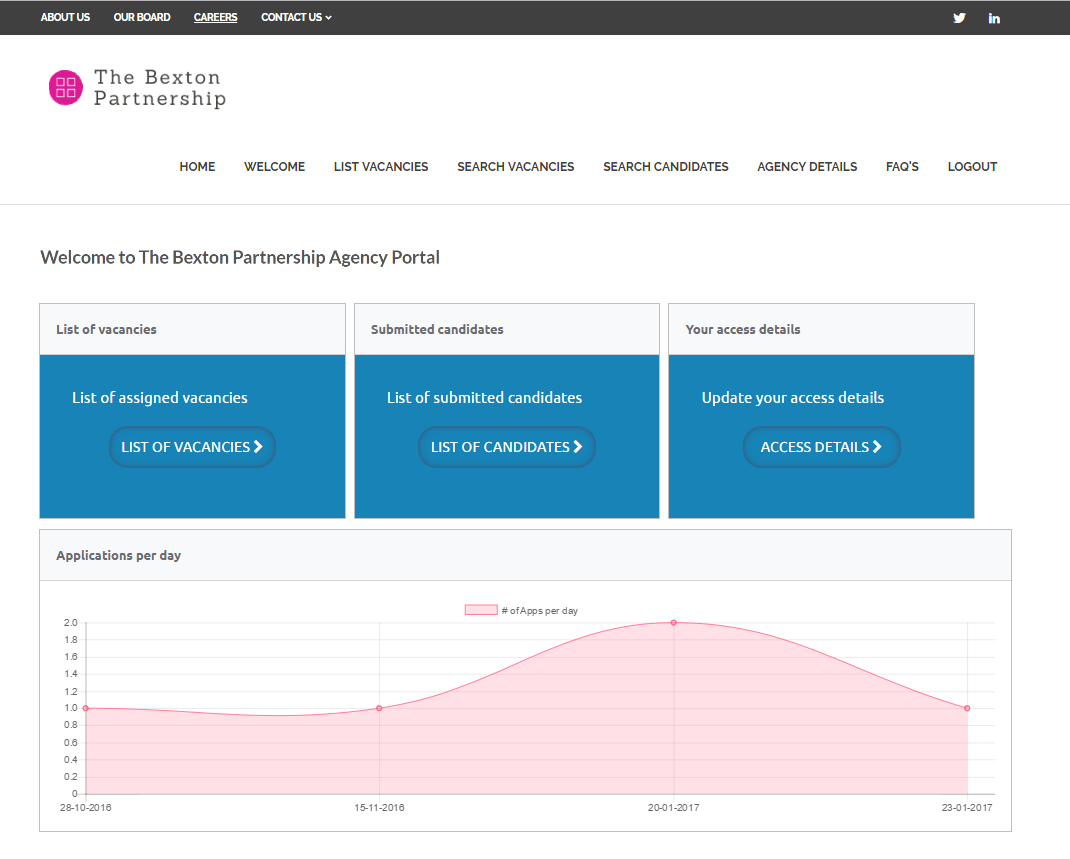
Once successfully logged in, your homepage will be displayed.
From here you can view a list of vacancies you have been assigned to work on, view the candidates you have previously submitted, or update your contact details. There is also a graph of the number of applications you have submitted per day.
When your client asks you to work on a new vacancy, you will receive an email notification.
To view the vacancy details, either follow the link within the email or select List Vacancies to view all vacancies you have been assigned to work on.
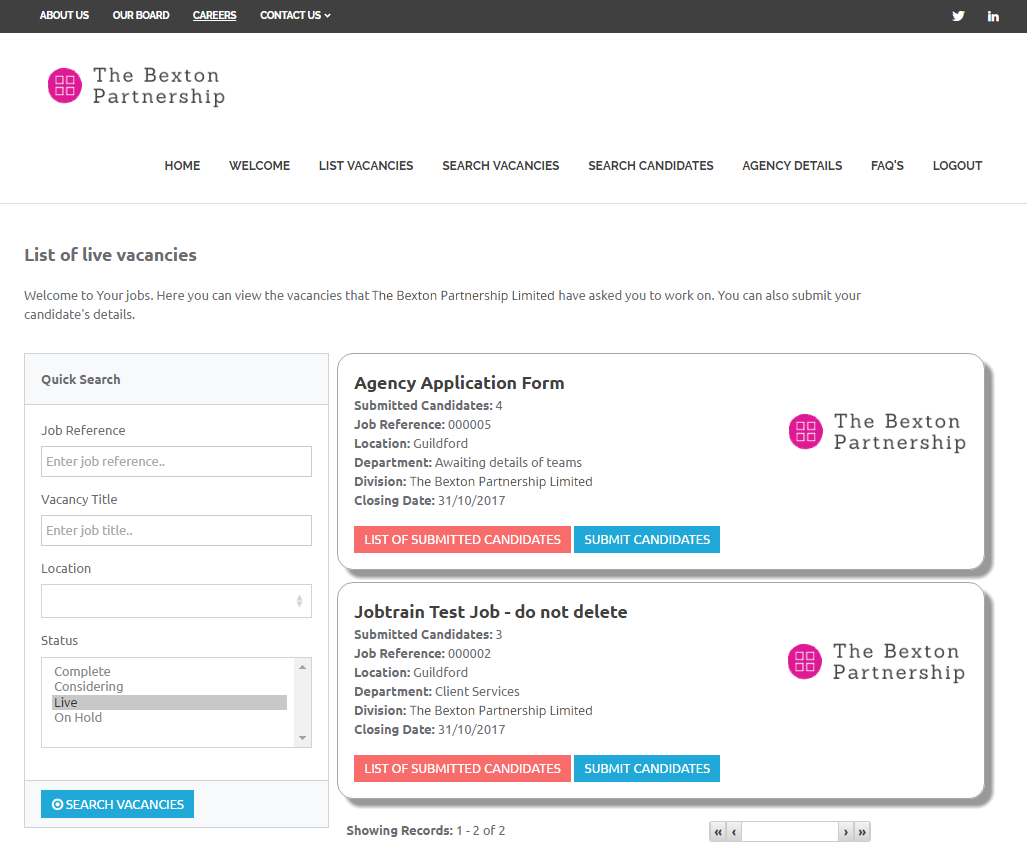
- To view the vacancy details, select the Vacancy Title
- To submit a candidate, select Submit Candidate
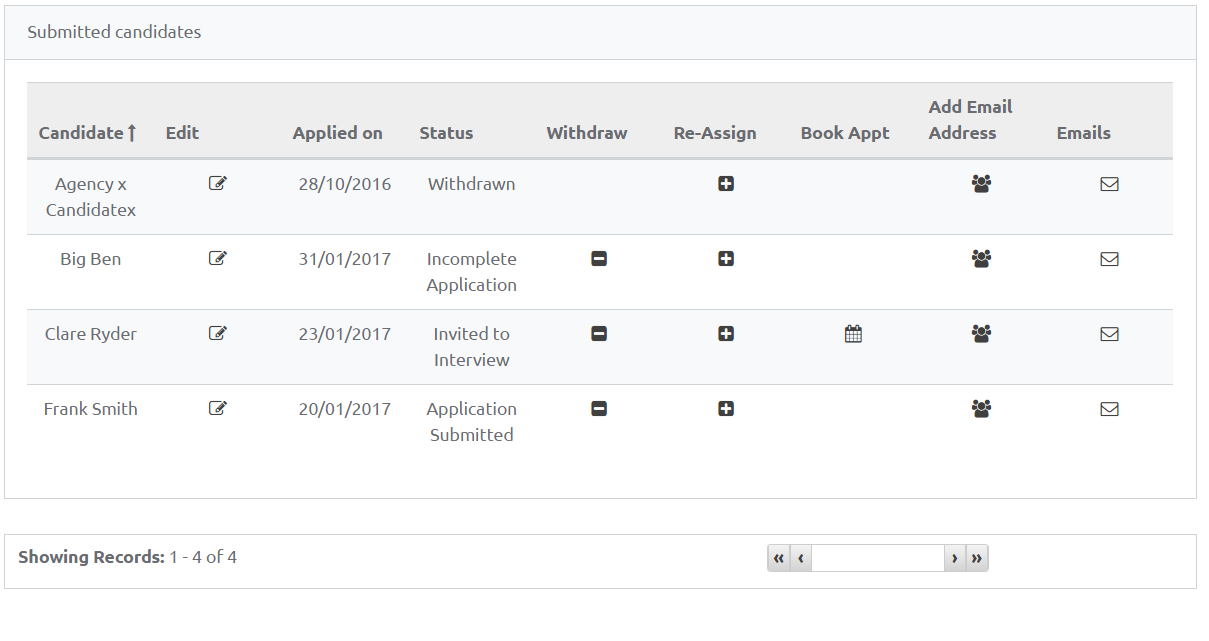
- To view a list of candidates you have previously submitted, select List of Submitted Candidates
Submitting Candidates
Once you have selected to submit a candidate, the application form that your client has selected for this vacancy will be displayed.
Please complete the application form provided and upload the candidate’s CV, agree to the declaration on the final page and select Submit Application.
You can only submit a candidate once. If you wish to put the candidate forward for multiple vacancies, you should search for the candidate and select to Re-assign.
After a candidate has been submitted, you can:
- Withdraw the application
- Re-assign and submit a further application to another vacancy
- Book an appointment on a candidate's behalf (if invited to do so by your client).
- Add the candidate’s direct email address (this may be required if a candidate needs to complete online testing or during offer stages)
- View a history of emails sent regarding the application