Skip to content
English - United Kingdom
  • There are no suggestions because the search field is empty.

Access by Location/Division set up

No recent searches

    Popular Articles

            Sorry! nothing found for

            Access by Location/Division set up

            Modified on Tue, 8 Mar, 2022 at 4:12 PM

            Adding a Security Role by access of location or division will allow this user group to only see and have access to jobs within that selected area, instead of having access to all jobs.


            Once live, please follow the below steps on how to add and amend the locations/ divisions per user group.


            The setup

            • Select Settings, then Security Roles
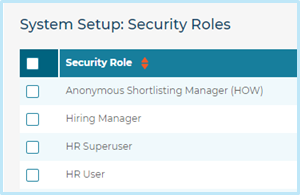
            • Choose the appropriate Security Role to edit:
            • Select either the Locations or Divisions section within the Security Role.
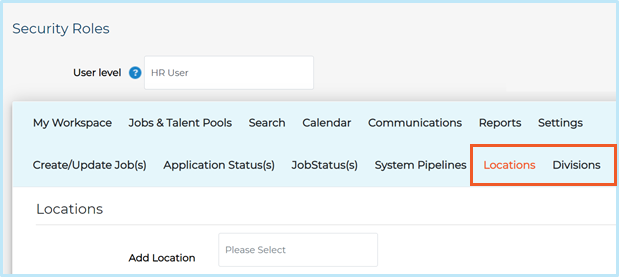
            Within the Locations and Divisions tabs, you will have the option to select multiple locations/divisions, simply use the Add Location/Add Division picker.
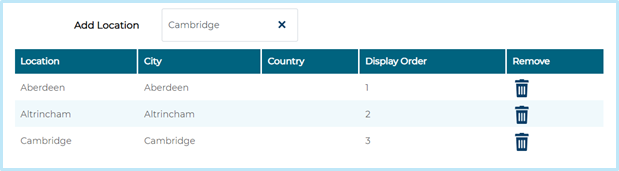
             

            Once complete, press Save then Exit.

            Attachments (1)

            Access by Location or Divisions March 22.pdf
            143 KB

            Was this article helpful?

            That’s Great!

            Thank you for your feedback

            Sorry! We couldn't be helpful

            Thank you for your feedback

            Let us know how can we improve this article!

            Feedback sent

            We appreciate your effort and will try to fix the article

            X